
Introduction
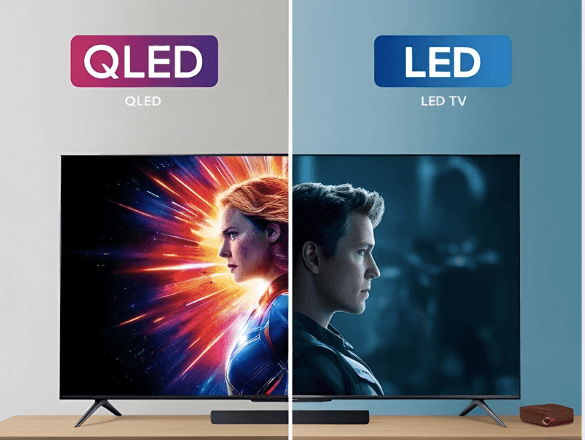
Shopping for a new television often comes down to two labels: LED and QLED. Both use LCD panels with LED backlighting, but QLED TVs add a quantum-dot layer designed to improve color performance. That difference can make a noticeable impact, especially when watching HDR movies, sports or games.
However, QLED is not automatically better than every LED TV. Backlight design, local dimming, panel quality and image processing all affect the final picture. A well-designed LED TV can be a better purchase than a basic QLED model.
This guide explains QLED vs LED, how Mini-LED fits into the comparison, and which U.S. TV models are worth considering before you buy.
Check Out: Best TV Deals
Best Budget LED, Affordable Mini-LED, Mid-Range QLED and Premium QLED
| TV model | Display type | Screen size | Current price |
| Samsung U8000H | LED | 70-inch | $369.99 |
| TCL QM6K | QD Mini-LED | 55-inch | $479.99 |
| Hisense U7 | QLED Mini-LED | 75-inch | $999.99 |
| Samsung QN90H | Neo QLED Mini-LED | 65-inch | $1199.9 |
Prices shown are based on available U.S. retailer listings at the time of publication and may change without notice. Actual prices can vary by screen size, retailer, seller and promotional offer. BestFindDeal may earn a commission when you purchase through qualifying links, at no additional cost to you. Product recommendations are based on research and feature comparisons, not claims of hands-on testing.
QLED vs LED: What’s the Difference?
The main difference is the use of quantum dots. A standard LED TV uses an LCD panel illuminated by LEDs. A QLED TV adds a quantum-dot layer that helps produce a wider range of rich, vivid colors.
Both technologies can deliver 4K resolution, HDR support and smart TV features. The label alone does not tell you how good the television will look.
What Is an LED TV?
An LED TV is an LCD television that uses light-emitting diodes for its backlight. The LCD panel controls how much light passes through each pixel to create the image.
LED TVs are available across a wide range of sizes and prices. They can be a sensible choice for everyday streaming, cable TV, sports and casual gaming, especially when the budget matters more than premium color performance.
Picture quality varies considerably between models. Some use basic edge-lit backlighting, while others have full-array backlighting and local dimming to improve contrast.
What Is a QLED TV?
QLED stands for Quantum Dot Light-Emitting Diode. It is still an LCD television with LED backlighting, but it uses a quantum-dot layer to enhance color reproduction.
QLED models can produce more saturated colors and higher brightness than many entry-level LED TVs. This can be useful for HDR content and rooms with plenty of daylight.
The results depend on the model. A budget QLED without effective local dimming may still struggle with dark scenes, while a higher-end LED TV can deliver better contrast and more controlled lighting.
Remember: QLED is not the same as OLED. OLED uses self-lit pixels, while QLED TVs rely on an LED backlight.
QLED vs LED: Key Differences Compared
| Feature | Standard LED TV | QLED TV |
| Display technology | LCD panel with LED backlight | LCD panel, LED backlight and quantum-dot layer |
| Color | Varies by model; usually adequate for everyday viewing | Often wider and more vibrant color |
| Brightness | Can range from modest to very high | Many models offer strong brightness, but performance varies |
| Contrast | Depends on panel and backlight design | Depends on panel, local dimming and backlight design |
| HDR performance | Varies by brightness and dimming capability | Can deliver more impactful color and highlights |
| Price | Often more affordable | Usually costs more, although budget models are available |
| Best for | Budget-conscious everyday viewing | Buyers prioritizing color, brightness and HDR |
The most important point is that QLED describes the color-enhancement layer, not the entire backlight system. A QLED label does not guarantee better black levels, motion handling or overall picture quality.
Picture Quality: Brightness, Color and Contrast
Color reproduction
Quantum dots help QLED TVs produce a wider range of colors. This can make colorful movies, nature documentaries, sports broadcasts and HDR scenes look more vivid.
A standard LED TV can still produce attractive colors, particularly when its panel and image processing are good. The difference is often more noticeable when comparing similarly priced models side by side.
Brightness and HDR
Many QLED TVs are designed to deliver high brightness, which can help in rooms with windows or strong ambient light. They can also make bright HDR highlights stand out.
But brightness is not determined by the QLED layer alone. Backlight output, local dimming, screen reflections and HDR processing all matter.
Check independent measurements and reviews of the exact model rather than assuming every QLED TV is brighter than every LED TV.
Contrast and black levels
Contrast describes the difference between the darkest and brightest parts of an image. It is particularly important for movies with night scenes, dark backgrounds and bright highlights.
Neither the LED nor QLED label guarantees deep blacks. Look for full-array local dimming or Mini-LED backlighting if contrast is a priority.
Even with local dimming, some LCD televisions show blooming. This is a glow around bright objects or subtitles against a dark background.
QLED vs Mini-LED: Are They the Same?
No. QLED and Mini-LED describe different parts of a television’s display system.
- QLED refers to the quantum-dot layer used to enhance color.
- Mini-LED refers to smaller LEDs used in the backlight.
- QLED Mini-LED combines quantum-dot color enhancement with a Mini-LED backlight.
Mini-LED backlights can use more precisely controlled dimming zones than conventional LED systems. This can improve contrast and help dark scenes look deeper, although the number and quality of dimming zones vary by model.
A television can be both QLED and Mini-LED. When comparing two models, check whether they use local dimming and how well that system performs. Do not assume that every QLED TV includes Mini-LED technology.
Read More: Modern Technology Gadgets
QLED vs LED: Which TV Should You Buy?
The right choice depends on your room, viewing habits and budget.
Choose a standard LED TV if:
- You mainly watch regular TV, news and streaming shows.
- You want a large screen without paying extra for premium display features.
- You watch mostly in a room with controlled lighting.
- You do not need advanced HDR or high-refresh-rate gaming features.
Choose a QLED TV if:
- You watch a lot of HDR movies and shows.
- You prefer vivid colors and a bright picture.
- Your living room receives plenty of daylight.
- You watch sports or play games and want a model with strong brightness and motion features.
- You are willing to pay more for a better-equipped television.
Consider a Mini-LED QLED if:
- You want stronger contrast than a basic LED or QLED model can provide.
- You watch movies in a dark room but also need good brightness during the day.
- You want advanced gaming features such as variable refresh rate and HDMI 2.1.
- Your budget allows you to move beyond entry-level models.
A higher-quality standard LED TV can still be the better buy than an entry-level QLED. Compare the complete specifications and independent reviews before making a decision.
LED and QLED TV Models Worth Comparing in the U.S.
The following models provide a useful starting point for comparing conventional LED and QLED options. Model sizes, retailer stock and prices can change, so check the exact size and model number before purchasing.
Samsung Crystal UHD U8000H
Display type: Standard LED
The Samsung Crystal UHD U8000H is an option to consider if you want a conventional 4K smart TV without paying for a quantum-dot display. It is suited to everyday streaming and general television viewing.
It is worth comparing against similarly priced QLED models to see whether the extra color performance and display features justify the price difference.
TCL QM6K
Display type: QD-Mini LED, marketed as QLED
The TCL QM6K is a lower-cost Mini-LED option with features aimed at movie watching and gaming. Its specifications include a high refresh rate, variable refresh rate support and Dolby Vision compatibility.
It is important to keep expectations realistic: independent testing has noted that its quantum-dot layer is less substantial than that of some higher-tier QLED models. It is better evaluated as an affordable Mini-LED option than as a direct match for premium QLED televisions.
Hisense U7SG
Display type: QLED Mini-LED
The Hisense U7SG is a stronger mid-range option for buyers who want high brightness, vibrant colors and gaming features. Its matte anti-reflective screen can be useful in brighter rooms, and its high refresh rate makes it worth considering for compatible gaming setups.
One trade-off is that some viewers may find the matte screen less crisp-looking than a glossy finish. Check the exact screen size and retailer listing before choosing.
Samsung QN90H Neo QLED
Display type: Neo QLED Mini-LED
The Samsung QN90H is a premium option for rooms where reflections and daylight are a concern. Its Mini-LED backlight and glare-reducing screen technology are designed to support bright-room viewing.
One detail to consider is HDR format support: Samsung TVs do not support Dolby Vision. If Dolby Vision content is important to you, compare the HDR formats supported by competing models before buying.
Buying tip: Do not choose a television only because it says QLED or Mini-LED. Compare native refresh rate, local dimming, HDR format support, HDMI 2.1, VRR, screen reflections and independent picture-quality reviews.
What Screen Size Should You Choose?
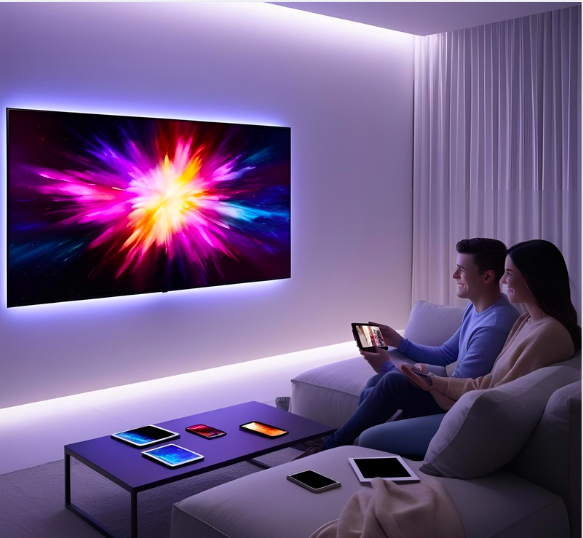
Screen size should match your room and viewing distance. A larger television is not automatically a better choice if it overwhelms the space or makes comfortable viewing difficult.
Use these sizes as starting points, then consider the room layout and your preference for an immersive picture.
| TV size | General room suitability |
| 43–50 inches | Bedrooms, smaller rooms and compact spaces |
| 55 inches | Small to medium living rooms |
| 65 inches | Medium to larger living rooms |
| 75 inches | Larger rooms and more immersive viewing |
| 85 inches or more | Spacious rooms with enough viewing distance |
For 4K televisions, many buyers can sit closer than they could with older 1080p sets without noticing individual pixels. Your preferred viewing experience, eyesight and room arrangement still matter.
What Else Should You Check Before Buying?
Resolution: 4K or 8K?
For most U.S. buyers, 4K is the practical choice. It offers a sharp picture across common screen sizes and has broad support across streaming services, gaming consoles and physical media.
8K televisions are available, but native 8K content remains limited. Most shoppers will get better value by choosing a good 4K TV with stronger contrast, brightness and processing.
Refresh rate and gaming features
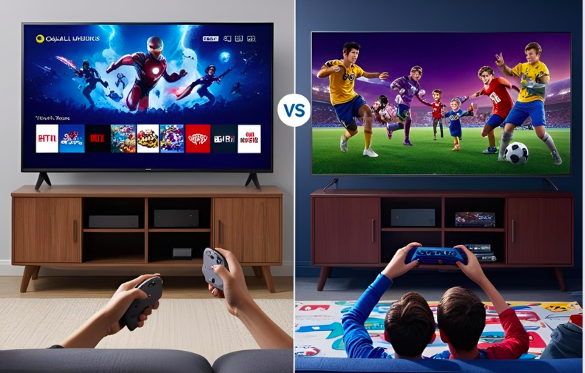
If you play games on a PlayStation 5, Xbox Series X or gaming PC, check the television’s native refresh rate and supported gaming features.
Look for:
- A native 120Hz or higher refresh rate if you want high-frame-rate gaming.
- HDMI 2.1 support for compatible high-bandwidth gaming features.
- Variable Refresh Rate (VRR) to help reduce screen tearing.
- Auto Low Latency Mode (ALLM) for automatic low-latency settings.
Do not confuse motion-rate marketing numbers with the panel’s native refresh rate.
HDR format support
HDR can improve highlights, color and detail in compatible content. Common formats include HDR10, HDR10+ and Dolby Vision.
Support varies by manufacturer and model. If you use streaming services or physical media that support a particular HDR format, check compatibility before buying.
Smart TV platform and connectivity
Check whether the TV supports the streaming apps you use and has enough HDMI ports for your devices. Also consider Wi-Fi performance, voice control, software updates and ease of navigation.
Power use
Power consumption depends on screen size, brightness settings, picture mode and viewing habits. A larger or brighter television may use more electricity, but there is no reliable universal wattage figure for all LED or QLED models.
Check the EnergyGuide label for the specific model if electricity use is an important part of your buying decision.
Is QLED Worth the Extra Money?
QLED can be worth paying more for if you watch a lot of HDR content, prefer richer colors or need a bright picture for a well-lit room. Mini-LED QLED models can offer an additional improvement in backlight control and contrast.
However, a QLED label by itself is not a reason to spend more. Some entry-level models have limited local dimming or weaker image processing. A well-reviewed standard LED TV may offer better value for casual viewing.
Compare the exact models at the same screen size and price range. If the QLED model offers noticeably better brightness, color and gaming features for a reasonable premium, the upgrade may make sense.
If you are ready to compare current retailer offers, see our Best TV Deals guide. Check the model number, screen size, seller and return policy before placing an order.
Final Verdict: QLED vs LED
QLED and LED TVs are built on the same basic LCD and LED-backlight foundation. The quantum-dot layer in QLED models can improve color performance, and many QLED televisions combine it with brighter backlights and advanced Mini-LED dimming.
For buyers on a budget, a good standard LED TV can still be a practical choice. For brighter rooms, HDR viewing and more vivid colors, a well-reviewed QLED model may justify the extra cost.
The best purchase is not necessarily the TV with the more impressive label. Compare the exact model’s brightness, contrast, local dimming, refresh rate, HDR support and price before deciding.
If you are upgrading your home theater, you may also want to compare our guide to the best soundbars for large TVs.
Frequently Asked Questions
1. Is QLED better than LED?
QLED TVs can produce richer colors and often offer higher brightness than entry-level LED models. However, performance depends on the exact TV. A high-quality LED TV can outperform a basic QLED in contrast, processing or motion handling.
2. What is the main difference between QLED and LED?
A QLED TV adds a quantum-dot layer to an LED-backlit LCD display to improve color reproduction. A standard LED TV uses an LCD panel with LED backlighting but does not use that quantum-dot layer.
3. Is QLED worth the extra money?
It can be worthwhile if you value vivid colors, high brightness and HDR performance. Compare the specific models, because not every QLED TV offers a meaningful upgrade over a good LED television.
4. Is Mini-LED better than QLED?
They are not competing technologies. QLED describes the quantum-dot layer, while Mini-LED describes the backlight. A TV can use both technologies, combining enhanced color with more precise backlight control.
5. Does QLED have better contrast than LED?
Not automatically. Contrast depends on the LCD panel, backlight design and local dimming system. A QLED TV with effective Mini-LED local dimming can deliver stronger contrast than a basic LED model, but the label alone does not guarantee it.
6. Is QLED better for a bright room?
Many QLED models offer high brightness and can work well in bright rooms. Screen reflections and anti-glare coatings also matter, so compare those features rather than relying only on the QLED name.
7. Which is better for gaming, QLED or LED?
Either can work for gaming. Look for a native 120Hz or higher refresh rate, HDMI 2.1, VRR and low input lag. Some QLED models offer these features, but they are not exclusive to QLED televisions.
8. Is OLED better than QLED?
OLED is a different display technology. Its self-lit pixels can produce very deep blacks and excellent contrast. QLED TVs often have an advantage in brightness and can cost less than premium OLED models. The better choice depends on your room, budget and viewing habits.
9. Do QLED TVs last longer than LED TVs?
There is no reliable general rule that QLED TVs last longer than standard LED TVs. Lifespan depends on the model, components, usage, heat management and operating conditions.
10. Should I buy a 65-inch LED TV or a 55-inch QLED TV?
Choose based on your viewing distance and priorities. A 65-inch LED TV gives you a larger image, while a 55-inch QLED may offer richer colors or better HDR performance. Compare the exact models and, if possible, view them side by side.
Read More: Light Ultra Powerful Laptop
Explore More: Best Laptop Configuration 2026 Essential Specs Students & Gamers
Check Out: Best Soundbars for Large TVs
Frequently Asked Questions (FAQ)
1. Is QLED better than LED?
Yes, in most aspects. QLED offers brighter colors, better contrast, and improved HDR performance compared to standard LED TVs.
2. Which is better, OLED, QLED, or LED?
OLED has the best blacks and contrast but is expensive. QLED offers a middle ground with great color and brightness, while LED is best for budget-conscious buyers.
3. Should I buy a QLED TV or an LED TV?
If you’re after better picture quality and a more cinematic experience, go for QLED. If you’re sticking to a tighter budget, LED is still a solid option.
4. What is meant by QLED, and how is that different from LED?
QLED (Quantum Dot LED) adds a layer of quantum dots for richer colors and brightness. LED is the base technology with standard backlighting.
5. Is it worth spending the extra money on a QLED TV rather than a LED?
Yes, if you’re using your TV for gaming, 4K streaming, or want better visuals overall. QLED is a noticeable upgrade.
6. Which TV would you rather get? OLED vs QLED?
QLED for brightness and price-performance. OLED for deep blacks and perfect contrast — if you can stretch your budget.
7. A 65-inch LED TV or 55-inch QLED/OLED TV?
For immersive viewing, 55-inch QLED wins. But if size matters more than picture quality, go 65-inch LED.
8. How do QLED and LED TVs perform in brightly lit vs dark rooms?
QLED handles bright rooms better with higher brightness levels. LED is decent but can look washed out in strong light.
9. Which brands offer the best value in large-screen QLED or LED TVs?
Samsung, TCL, Hisense, and Sony. TCL and Hisense dominate the budget QLED space, while Samsung and Sony lead in premium features.
Read More: Technology Guides and Gadget Insights
