
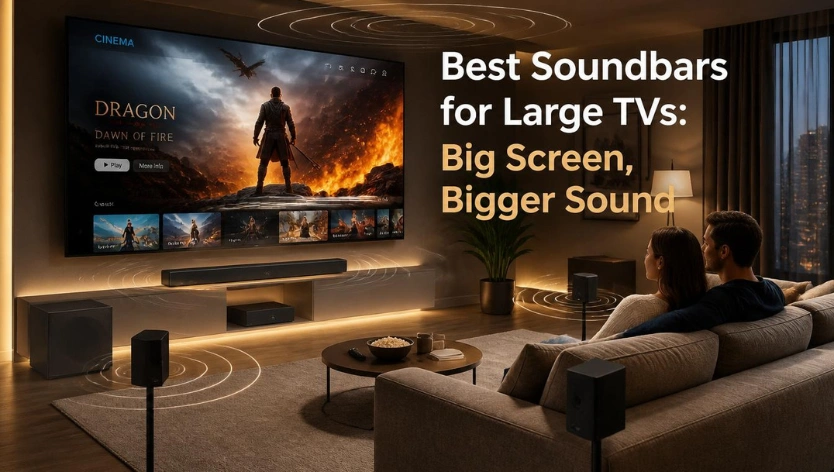
The best soundbars for large TVs improve dialogue clarity, bass response and surround sound for 75-inch and 85-inch screens. The Samsung HW-Q990F is a strong choice for a complete home theater setup, while the Sonos Arc Ultra suits buyers who prefer a premium standalone soundbar. Other options include the Sony BRAVIA Theater Bar 9, JBL Bar 1300XMK2 and Bose Smart Ultra Soundbar. The right choice depends on room size, audio preferences, connectivity and budget—not TV screen size alone.
Introduction
A bigger television can make movies, sports and games feel more immersive, but the built-in speakers may not deliver the same improvement in sound. Many modern TVs have slim designs that leave limited space for speaker hardware. The result can be dialogue that lacks clarity, weak bass and audio that feels disconnected from the size of the picture.
A dedicated soundbar can help close that gap. Depending on the model, it can provide clearer speech, stronger low-frequency effects, wider stereo sound and surround effects that make movie scenes more engaging.
However, not every soundbar is designed for the same room or listening preference. A standalone soundbar may be enough for everyday streaming in a medium-sized living room. A larger space used for movies and gaming may benefit more from a system with a dedicated subwoofer and rear speakers.
This guide compares five soundbar options worth considering for large-screen televisions in 2026. It also explains what to check before buying, including soundbar dimensions, Dolby Atmos, channel configuration, HDMI eARC and room placement.
Check Out : Ultimate Black Friday & Cyber Monday Deals Hub
Quick Answer: Which Soundbar Is Best for a Large TV?
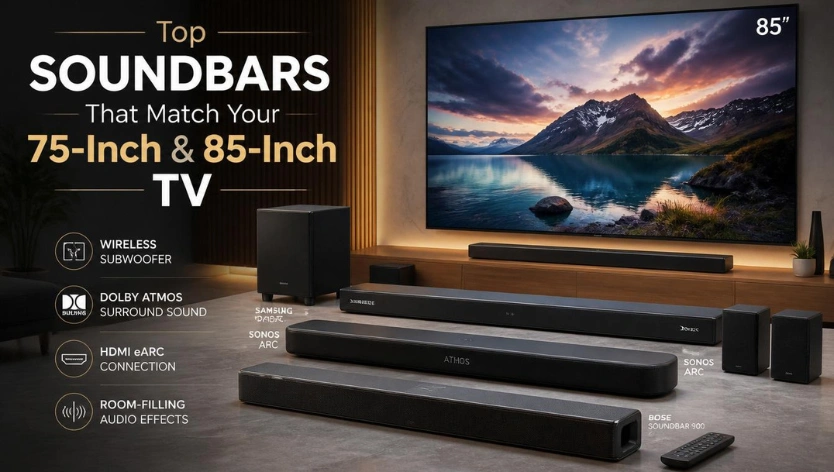
The Samsung HW-Q990F is a compelling option for buyers who want a complete surround sound package, with a dedicated subwoofer and wireless rear speakers included. It remains worth comparing against the newer HW-Q990H, particularly when the Q990F is available at a lower price.
Other options suit different needs:
| Soundbar | Best suited for | Main consideration |
| Samsung HW-Q990F | Complete home theater setup | Requires space for the subwoofer and rear speakers |
| Sonos Arc Ultra | Premium standalone soundbar | Expandable, but additional speakers cost extra |
| Sony BRAVIA Theater Bar 9 | Compatible Sony TV setups | Subwoofer and rear speakers are optional additions |
| JBL Bar 1300XMK2 | Powerful surround sound and bass | Large system; HDMI passthrough is limited to 4K at 60Hz |
| Bose Smart Ultra Soundbar | Dialogue-focused everyday listening | Standalone design has different surround capabilities from full speaker packages |
The best choice depends on whether you prioritize a complete surround system, a simpler installation, music playback, gaming or dialogue clarity.
Read More: QLED vs LED
Why Consider a Soundbar for a Large TV?
A large screen does not automatically require an expensive soundbar. However, upgrading the audio can make a noticeable difference if the television’s built-in speakers struggle to fill the room.
A suitable soundbar can improve several aspects of home entertainment.
Clearer Dialogue
A dedicated center channel or dialogue enhancement feature can make speech easier to follow, especially during movies and television programs with busy background soundtracks.
More Powerful Bass
A separate subwoofer can reproduce deeper low-frequency effects than most slim television speakers or compact soundbars. This can add impact to action movies, music and sports broadcasts.
Wider Soundstage
A soundbar with multiple drivers can create a broader front soundstage. This helps audio feel less concentrated in one small area beneath the television.
Surround and Height Effects
Dolby Atmos soundbars use different combinations of upward-firing drivers, rear speakers and audio processing to create a more immersive listening experience. Dedicated rear speakers generally provide a different experience from virtual surround processing.
Better Home Entertainment Integration
Many modern soundbars support HDMI eARC, wireless music streaming and connections to gaming consoles or streaming devices. The available features vary by model, so check compatibility before purchasing.
5 Best Soundbars for Large TVs in 2026
The following shortlist covers different soundbar designs and listening needs. Product descriptions are based on published specifications and independent review coverage, rather than claims of personal hands-on testing.
1. Samsung HW-Q990F
Best for a Complete Home Theater Setup
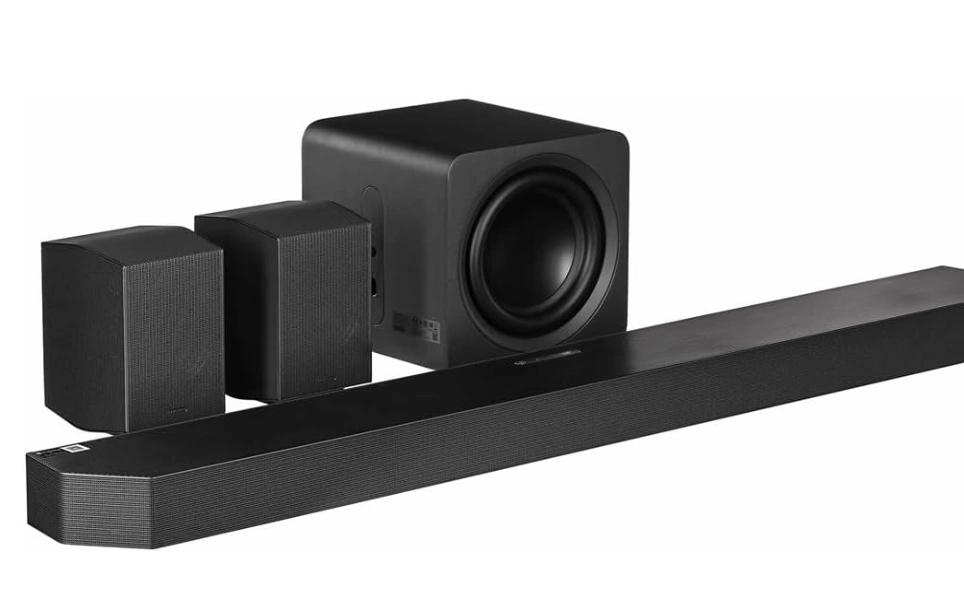
The Samsung HW-Q990F is worth considering if you want more than a single soundbar beneath your television. Its complete package combines the main soundbar with a wireless subwoofer and separate rear speakers.
The system uses an 11.1.4-channel configuration, with dedicated surround and height channels designed to create a more enveloping listening experience.
Key features
- 11.1.4-channel sound configuration
- Dolby Atmos and DTS support
- Wireless subwoofer
- Wireless rear surround speakers
- Samsung Q-Symphony compatibility with supported Samsung TVs
- SpaceFit Sound Pro room calibration
Why consider it?
The main advantage is that the surround speakers and subwoofer are included in the package. Buyers do not need to purchase separate rear speakers to build a more complete home theater setup.
Its configuration can suit large living rooms where movie watching and immersive audio are priorities. It is also worth comparing with the newer Samsung HW-Q990H. The Q990H adds newer features, but the Q990F may offer better value when discounted.
Things to consider
This is a multi-component system, not a simple one-bar installation. You need suitable space for the subwoofer and rear speakers, along with access to power outlets. Check the current price of both generations before deciding.
Best suited for: Buyers who want a complete Dolby Atmos surround system for movies, streaming and home entertainment.
Check Out: Best Laptop Configuration 2026 Essential Specs Students & Gamers
2. Sonos Arc Ultra
Best Premium Standalone Soundbar
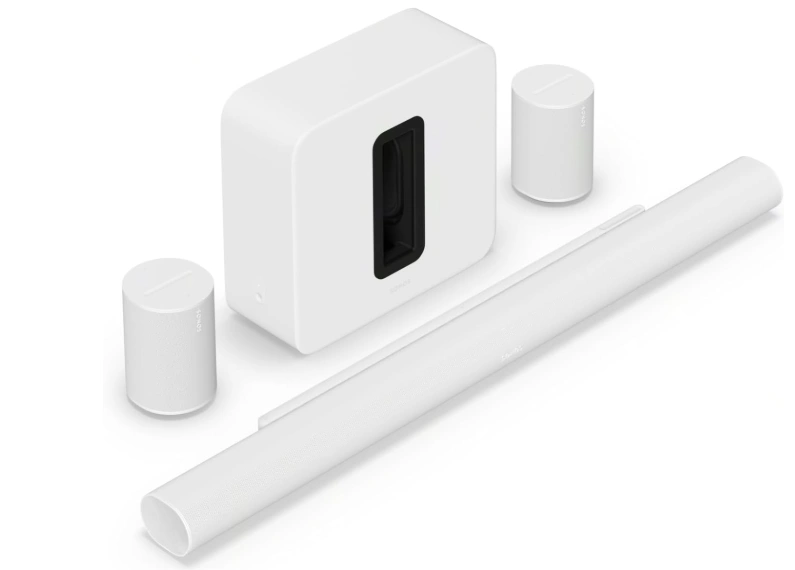
The Sonos Arc Ultra is designed for buyers who want premium TV and music audio without immediately installing a separate subwoofer and rear speaker package.
Its standalone configuration supports Dolby Atmos and is designed to create a spacious soundstage from a single soundbar. Buyers can also expand the system with compatible Sonos speakers and a subwoofer.
Key features
- Dolby Atmos support
- Standalone 5.1.2-channel configuration
- Expanded Sonos home audio ecosystem
- Wireless music streaming
- Voice assistant compatibility
- Option to add compatible subwoofer and surround speakers
Why consider it?
The Arc Ultra offers a simpler starting point than a multi-speaker home theater system. It can suit living rooms where a clean installation matters as much as sound quality.
It is also worth considering if you listen to music through the same system used for television and movies. Its expandable design means you can add compatible Sonos components later.
Things to consider
The standalone soundbar does not include a separate subwoofer or rear speakers. Adding those components increases the overall cost. Buyers should also compare its available HDMI connectivity with the devices they intend to connect.
Best suited for: Buyers who prefer a premium single soundbar with the option to expand into a larger home audio system.
Check Out: Best Laptop Configuration 2026 Essential Specs Students & Gamers
3. Sony BRAVIA Theater Bar 9
Best for Compatible Sony TV Setups
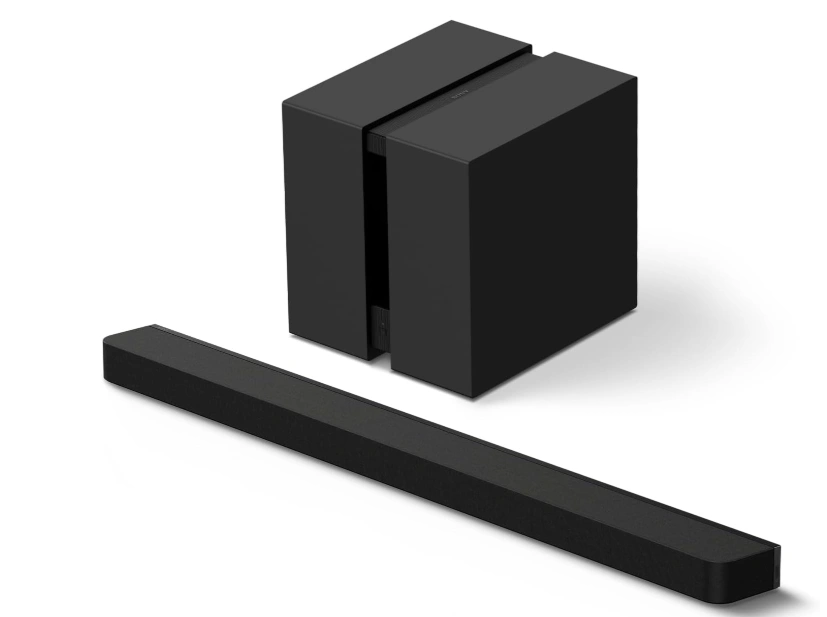
The Sony BRAVIA Theater Bar 9 is a premium standalone soundbar designed to work within Sony’s home entertainment ecosystem.
It uses Sony’s audio processing and 360 Spatial Sound Mapping technology to create a more immersive sound field. Compatible BRAVIA televisions can also use features such as Acoustic Center Sync to integrate the television’s speakers with the soundbar.
Key features
- Dolby Atmos support
- 360 Spatial Sound Mapping
- Acoustic Center Sync with compatible BRAVIA TVs
- Wireless music streaming
- Expandable system with compatible optional speakers and subwoofer
- HDMI connectivity with 4K/120Hz passthrough support
Why consider it?
The Theater Bar 9 is particularly relevant for people who already own a compatible Sony BRAVIA television. Its integration features can make it easier to build a coordinated television and audio setup.
It also offers an upgrade path for buyers who want to start with one soundbar and add a subwoofer or rear speakers later.
Things to consider
The standard package is a standalone soundbar. Optional speakers and a subwoofer add to the total cost. Its virtual surround processing should not be confused with a complete system that includes dedicated rear speakers.
Best suited for: Sony BRAVIA owners who want a premium soundbar with compatible television integration and expansion options.
4. JBL Bar 1300XMK2
Best for Powerful Bass and Detachable Surround Speakers
The JBL Bar 1300XMK2 is a substantial home theater package for buyers who want dedicated surround speakers without running long speaker cables across the room.
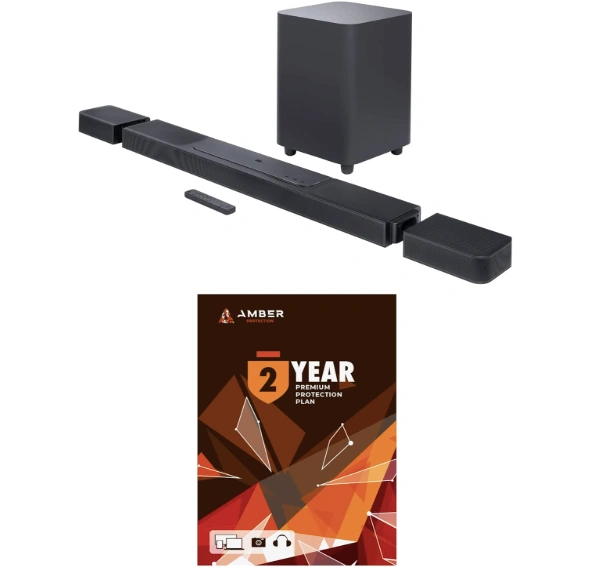
Its 11.1.4-channel configuration combines the main soundbar, a wireless subwoofer and detachable wireless rear speakers. The rear units can be removed from the main bar and positioned behind the listening area.
Key features
- 11.1.4-channel sound configuration
- Dolby Atmos and DTS support
- Detachable wireless surround speakers
- Wireless subwoofer with a 12-inch driver
- HDMI eARC and multiple HDMI inputs
- Room calibration and dialogue enhancement features
Why consider it?
The detachable rear speakers are the main attraction. They provide flexibility when arranging a surround sound setup and can also be used as Bluetooth speakers when detached.
The included subwoofer and rear speakers make this a more complete home theater package than a standalone soundbar. It is worth considering for movie enthusiasts who want strong bass and surround effects.
Things to consider
The complete system takes up more space than a single soundbar. Its HDMI video passthrough supports up to 4K at 60Hz, which may be a limitation for gamers who want 4K at 120Hz passthrough through the soundbar. Check whether your television has enough suitable HDMI ports for your console and other devices.
Best suited for: Movie fans who want powerful bass, dedicated surround speakers and a flexible installation.
Read More: Best Gaming Deals 2026
5. Bose Smart Ultra Soundbar
Best for Dialogue and Everyday Streaming
The Bose Smart Ultra Soundbar is a standalone option for buyers who want to improve television audio without setting up a complete surround speaker system.
It supports Dolby Atmos and includes Bose audio processing features designed to improve the listening experience, including AI Dialogue Mode for speech clarity.

Key features
- Dolby Atmos support
- AI Dialogue Mode
- ADAPTiQ audio calibration
- Wi-Fi and Bluetooth connectivity
- Voice assistant compatibility
- Optional compatible Bose subwoofer and surround speakers
Why consider it?
Dialogue clarity is an important consideration for people who watch television dramas, news, documentaries and streaming programs. Bose’s dialogue processing is designed to make speech easier to understand without requiring a separate center speaker installation.
Its standalone format can also be easier to accommodate than a multi-component surround system.
Things to consider
The standard soundbar does not include a separate subwoofer or rear surround speakers. Buyers seeking more substantial bass or dedicated surround sound should compare the cost of adding compatible Bose components with complete packages from Samsung and JBL.
Best suited for: Buyers who prioritize dialogue clarity, a simple installation and everyday television listening.
How to Choose a Soundbar for a Large TV
Choosing the right soundbar involves more than matching its size to the television. The room layout, seating distance, audio configuration and available connections all affect the experience.
1. Compare Soundbar Width with TV Size
Soundbar dimensions matter because the unit needs to fit beneath or in front of the television without blocking the screen, remote sensor or other equipment.
A 75-inch television does not require a soundbar that is exactly the same width. Instead, consider the available furniture space, the position of the TV stand and the soundbar’s physical dimensions.
Before purchasing, check:
- The soundbar’s width, height and depth
- The available space beneath the television
- Whether the TV stand can support the soundbar
- Whether the soundbar blocks the television’s infrared sensor
- Whether the unit can be wall-mounted safely
For an 85-inch television, a wider soundbar may look more proportionate, but audio performance and room compatibility are more important than matching dimensions exactly.
2. Consider Your Room Size and Layout
A soundbar that performs well in a compact room may not provide the same experience in a large open-plan living area.
Think about the distance between your seating position and television, the ceiling height, nearby walls and the number of people watching.
For larger rooms, a system with a separate subwoofer and dedicated rear speakers may be more suitable than a compact standalone soundbar.
Room calibration can also help compatible systems adjust audio output to the room’s layout. However, it cannot eliminate every acoustic problem caused by an unusual room shape or poor speaker placement.
3. Understand Soundbar Channel Configurations
Soundbar channel numbers describe the speaker arrangement used to reproduce different parts of the audio.
| Configuration | What it generally means |
| 2.0 | Two main audio channels without a separate subwoofer |
| 2.1 | Two main channels with a subwoofer |
| 3.1 | Three main channels, including a center channel, with a subwoofer |
| 5.1 | Front and rear surround channels with a subwoofer |
| 5.1.2 | Surround configuration with two height channels |
| 7.1.4 | More extensive surround and height-channel arrangement |
| 11.1.4 | A larger multi-channel system with additional surround and height channels |
The first number represents the main speaker channels, the second indicates the subwoofer channel and the third identifies height channels.
A higher channel count does not automatically guarantee better sound. Speaker design, processing, room placement and the quality of the system also matter.
4. Check Dolby Atmos and DTS Support
Dolby Atmos and DTS are immersive audio formats designed to add a sense of height and spatial movement to compatible soundtracks.
Some soundbars use upward-firing drivers to reflect sound off the ceiling, while others rely more heavily on virtual processing. Systems with dedicated rear speakers can provide additional physical surround channels.
If immersive movie audio is important, check:
- Whether the soundbar supports Dolby Atmos
- Whether it supports DTS if you use compatible movie sources
- Whether it has dedicated upward-firing drivers
- Whether rear speakers are included or sold separately
- Whether your TV and connected devices support the required audio formats
Atmos support alone does not guarantee the same experience across every soundbar.
5. Look for HDMI eARC and the Right Connectivity
HDMI eARC is useful for connecting a soundbar to a compatible television. It supports higher-bandwidth audio formats and can simplify audio connections between the TV and sound system.
Other connectivity features may include:
- HDMI inputs for external devices
- Optical audio input
- Bluetooth for wireless music
- Wi-Fi for streaming and multi-room audio
- Voice assistant integration
Console gamers should also check video passthrough specifications. If you use a PlayStation 5, Xbox Series X or a gaming PC, verify support for the resolution, refresh rate and gaming features you need.
For more gaming setup advice, see our guide to the best gaming consoles for 4K TVs.
Best Soundbar for a 75-Inch TV
A 75-inch television can work with several types of soundbar, from a premium standalone unit to a complete surround sound package.
The right choice depends more on your room and listening habits than on the screen size itself.
Consider these options:
- Samsung HW-Q990F: A complete package for buyers who want rear speakers and a subwoofer included.
- Sonos Arc Ultra: A premium standalone option with the ability to expand later.
- Sony BRAVIA Theater Bar 9: Worth considering with a compatible Sony BRAVIA television.
If your 75-inch TV is in a medium-sized room, a standalone soundbar may be sufficient. For a larger room used mainly for movies, a system with dedicated rear speakers can provide a more complete surround experience.
Best Soundbar for an 85-Inch TV
An 85-inch television often becomes the centerpiece of a larger entertainment space. If you want audio that feels more immersive, consider a soundbar system with a dedicated subwoofer and surround speakers.
Options worth comparing include:
- Samsung HW-Q990F: A complete surround package with a subwoofer and rear speakers.
- JBL Bar 1300XMK2: A powerful system with detachable wireless rear speakers.
- Samsung HW-Q990H: A newer flagship alternative for buyers who want Samsung’s latest generation.
Remember that an 85-inch TV does not automatically require the most expensive soundbar. A well-matched system for your room and seating position can be a better purchase than an oversized package with features you will rarely use.
Soundbar vs. Home Theater System: Which Should You Choose?
A soundbar is usually easier to install than a traditional home theater system. Many models combine multiple speakers in one unit and connect directly to the television through HDMI eARC.
A traditional home theater system generally uses an AV receiver and separate speakers. This provides more flexibility for speaker placement and future upgrades, but requires more space, cables and setup work.
| Buying consideration | Soundbar | Traditional home theater |
| Installation | Usually simpler | More involved |
| Space requirements | Generally compact | Requires space for multiple speakers |
| Cable management | Often easier | More speaker wiring |
| Upgrade flexibility | Depends on the ecosystem | Usually more flexible |
| Surround sound | Virtual or dedicated speakers, depending on model | Separate physical speakers |
| Best suited for | Convenient home entertainment | Custom home theater setups |
For most buyers who want a straightforward audio upgrade, a soundbar is a practical starting point. A traditional system may be more suitable if you want greater control over speaker placement and expansion.
How to Get Better Sound from Your Soundbar
Buying a capable soundbar is only part of the setup. Placement and television settings can also affect the listening experience.
Position the Soundbar Correctly
Place the soundbar directly below the television, ideally centered with the screen. Avoid placing it inside a tightly enclosed cabinet that blocks the drivers.
If wall-mounting, follow the manufacturer’s recommended clearance and installation instructions.
Use HDMI eARC When Available
Connect the soundbar to the television’s HDMI eARC port when both devices support it. Check the TV’s audio output settings to ensure it sends the appropriate audio format to the soundbar.
Run Room Calibration
If your soundbar includes automatic room calibration, follow the setup instructions. This can help adjust audio output for your room’s acoustics and speaker positions.
Position Rear Speakers Properly
For systems with dedicated rear speakers, place them behind or beside the main seating area according to the manufacturer’s recommendations. Avoid hiding them behind furniture.
Adjust Dialogue and Night Modes
Dialogue enhancement can help with speech-heavy programs. Night mode may reduce sudden volume differences between quiet dialogue and loud effects, making late-night viewing more comfortable.
Advantages of Upgrading to a Soundbar
A suitable soundbar can offer several benefits over relying only on built-in television speakers.
- Improved dialogue: Dedicated center channels and speech processing can make voices easier to follow.
- Stronger bass: A separate subwoofer can add depth to movie soundtracks and music.
- More immersive audio: Surround and height-channel systems can create a wider listening experience.
- Simpler installation: Many soundbars connect to a TV with one HDMI cable.
- Flexible listening: Some models support music streaming, Bluetooth and multi-room audio.
The improvements depend on the model, room and source material. A basic soundbar will not provide the same surround experience as a full system with rear speakers.
Limitations and Buying Considerations
Before choosing a soundbar, consider the compromises as well as the benefits.
Premium Systems Can Be Expensive
Flagship soundbars with wireless subwoofers and rear speakers can cost significantly more than entry-level models. Compare the complete package price rather than looking only at the main soundbar.
Large Rooms Need Suitable Speaker Coverage
A compact soundbar may not provide the same coverage as a system with separate surround speakers. Consider your seating distance and room layout before buying.
Placement Affects Performance
A soundbar placed inside a cabinet or too far from the seating area may not perform as intended. Follow the manufacturer’s placement guidance.
Dolby Atmos Requires Compatible Content
Not every movie, game or streaming program includes Dolby Atmos audio. The television, streaming device and soundbar must also support the relevant audio format and connection.
Check Gaming Passthrough Carefully
Not every premium soundbar supports 4K at 120Hz passthrough. If you connect a gaming console through the soundbar, verify its HDMI specifications before purchasing.
Additional Speakers May Increase the Cost
Standalone models from Sonos, Sony and Bose can be expanded with compatible components, but those additions are not necessarily included in the standard package.
Frequently Asked Questions
What is the best soundbar for a 75-inch TV?
The Samsung HW-Q990F is a strong option for buyers who want a complete surround sound package with a wireless subwoofer and rear speakers. The Sonos Arc Ultra and Sony BRAVIA Theater Bar 9 are alternatives for buyers who prefer a premium standalone soundbar.
What is the best soundbar for an 85-inch TV?
For an 85-inch television, consider the Samsung HW-Q990F or JBL Bar 1300XMK2 if you want a complete surround system. The right choice depends on room size, seating position, budget and connectivity requirements.
Do large TVs need a soundbar?
No. A large television does not automatically need a soundbar. However, a dedicated sound system can improve dialogue clarity, bass response and surround effects when the built-in speakers do not meet your expectations.
Should a soundbar be as wide as the TV?
No. A soundbar does not need to match the television’s width. Choose a unit that fits your furniture and provides the audio features you need. Check its dimensions to ensure it does not block the screen or television sensors.
Is Dolby Atmos worth it for a large TV?
Dolby Atmos can make compatible movies and programs more immersive by adding spatial and height effects. The experience depends on the soundbar’s speaker design, room layout, audio source and playback settings.
What is the difference between a 3.1 and 5.1 soundbar?
A 3.1 soundbar generally has left, center and right channels with a subwoofer. A 5.1 system adds surround channels and a subwoofer. The actual speaker arrangement varies by model, so check the manufacturer’s specifications.
Is a soundbar with a subwoofer better?
A separate subwoofer can reproduce deeper bass than many standalone soundbars. It can be useful for action movies, music and games, but it also requires additional space.
Can I use a soundbar with any television?
Most modern soundbars can connect to televisions through HDMI ARC/eARC or optical audio, but compatibility depends on the available ports and supported audio formats. Check both devices before buying.
Which is better for movies, a soundbar or a home theater system?
A complete home theater system with separate speakers can offer greater flexibility and a more customizable surround setup. A soundbar is generally easier to install and takes up less space. Premium soundbar packages with dedicated rear speakers can provide a practical middle ground.
Is HDMI eARC necessary for a soundbar?
HDMI eARC is useful for transmitting higher-bandwidth audio formats from a compatible TV to a soundbar. It is not required for every setup, but it is worth prioritizing if you want to use advanced audio formats such as lossless Dolby Atmos from compatible sources.
Final Verdict: Which Soundbar Should You Choose?
The best soundbar for a large TV depends on the experience you want, not simply the size of your screen.
The Samsung HW-Q990F is a compelling choice for buyers who want a complete home theater package with a dedicated subwoofer and wireless rear speakers. It is also worth comparing with the newer HW-Q990H before making a purchase.
The Sonos Arc Ultra offers a premium standalone alternative that can be expanded over time. Sony BRAVIA Theater Bar 9 is worth considering for compatible Sony TV owners, while the JBL Bar 1300XMK2 suits buyers who want detachable rear speakers and powerful bass. The Bose Smart Ultra Soundbar is another option for those who prioritize dialogue clarity and a simpler setup.
Before choosing, compare the soundbar’s dimensions, speaker configuration, connectivity, room requirements and total system cost. You can also explore our TV Deals guide to compare television offers before completing your home entertainment setup.
A large television makes the picture more impressive. Pairing it with an appropriate sound system can make the overall viewing experience more complete.
Read More: Technology Guides And Gadget Insights
