
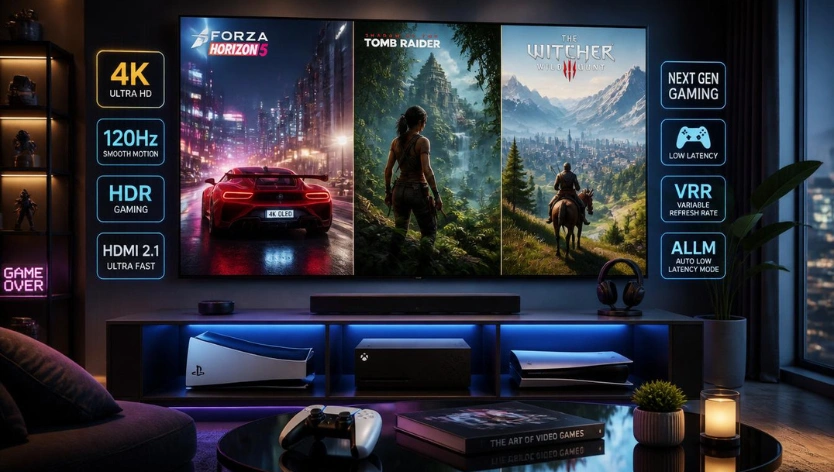
Choosing the best gaming console for a 4K TVs involves more than looking at resolution or buying the most expensive system. The right choice depends on the games you play, the performance you expect, your television’s capabilities and how much you want to spend.
The PlayStation 5 and Xbox Series X are important options for players who want a traditional living-room console with advanced graphics and support for high-refresh-rate gaming in compatible titles. Nintendo Switch 2 offers a different experience, combining portable play with a docked TV setup. Meanwhile, Xbox Series S provides a more budget-conscious entry into modern console gaming.
This guide compares the main options, explains the TV features worth checking and shows how to evaluate value before buying. If you’re also looking for discounts, explore our Best Gaming Deals 2026 guide.
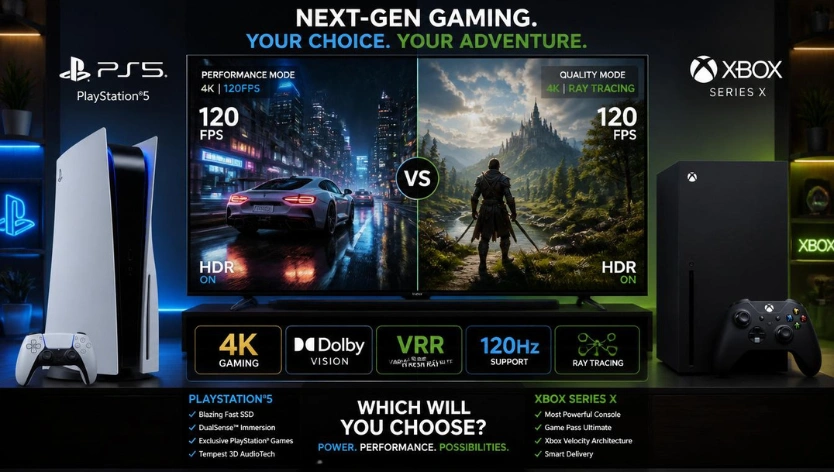
Which Gaming Console Is Best for a 4K TV?
There is no single best console for every 4K TV owner. Your preferred games, budget and desired features should guide the decision.
| Console | Best suited for | What to consider | Check Prices |
| PlayStation 5 | Players who prefer PlayStation games and its controller features | Compare the standard PS5 with the PS5 Pro based on your display and budget | Check Now |
| Xbox Series X | Players who want a powerful Xbox home console and access to the Xbox ecosystem | Check game-specific resolution and frame-rate options, subscription costs and storage | Check Now |
| Nintendo Switch 2 | Families, multiplayer households and players who value portability | Check docked-TV output and individual game performance rather than assuming every game renders natively at 4K | Check Now |
| Xbox Series S | Budget-conscious players who want access to the Xbox ecosystem | Expect compromises in graphics performance and resolution compared with Series X | Check Now |
| Steam Deck OLED | PC gamers who prioritize handheld play | Treat it as a portable PC gaming alternative, not a direct substitute for a conventional 4K living-room console | Check Now |
These categories are starting points rather than universal rankings. Actual image quality and performance depend on the game, its graphics settings, software updates and the television being used.
Read More: The Future of Immersive Play
1. PlayStation 5: A Strong Choice for PlayStation Games
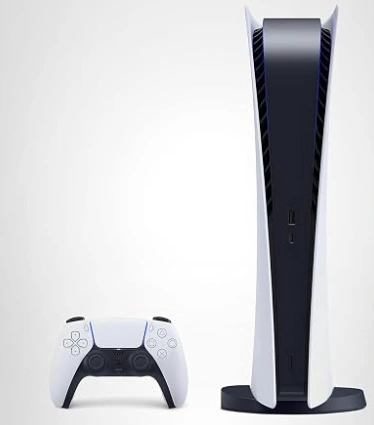
The PlayStation 5 is worth considering for players who prioritize its game library, fast loading and DualSense controller features. It supports advanced graphics capabilities and high-refresh-rate output in compatible games.
What makes it worth considering?
- A broad PlayStation game library
- Fast SSD storage for supported games
- DualSense features, including adaptive triggers and haptic feedback
- Support for 4K output and selected high-frame-rate gaming modes
- Compatibility with supported HDMI 2.1 TV features
What should buyers check?
Do not assume every PS5 game renders at native 4K or runs at 120 frames per second. Games can use different graphics modes, balancing resolution, visual effects and performance.
The standard PS5 and PS5 Pro should also be evaluated separately. Before paying more for the Pro model, check whether the games you play benefit from its enhancements and whether those differences matter on your particular TV.
For more context on the cost and value considerations surrounding the PS5 Pro, read our PS5 Pro price and technical value guide.
Best fit: Players who value PlayStation games, controller features and a versatile home gaming setup.
2. Xbox Series X: A Premium Xbox Home Console
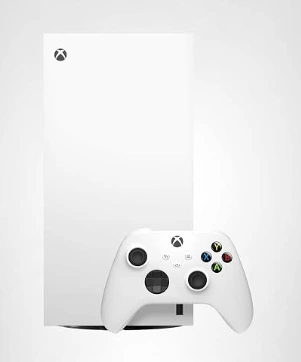
Xbox Series X is a strong option for gamers who want high-end console performance and access to the Xbox ecosystem. It supports 4K output and high-refresh-rate gaming in compatible titles, although performance varies between games.
What makes it worth considering?
- Hardware designed for demanding modern games
- 4K output support
- Selected 120Hz gaming modes
- Access to the Xbox game library and compatible backward-compatible titles
- Integration with Microsoft’s gaming ecosystem
Xbox Game Pass may also influence the overall value proposition. However, subscription prices, game availability and plan benefits can change, so check the current terms before treating a subscription as a saving.
What should buyers check?
Look at performance tests and graphics modes for the specific games you want to play. A console’s theoretical hardware capability does not guarantee better graphics in every title.
Also, don’t choose a console based on Dolby Vision or another display feature alone. Verify support across the console, TV, connection and the content you intend to use.
Best fit: Players who prefer Xbox games and services and want a premium home console.
For a broader look at console choices, see our PS5 and Xbox comparison.
3. Nintendo Switch 2: Flexible Gaming for Families and Groups
Nintendo Switch 2 is different from traditional home consoles because it supports both portable play and a docked TV experience. That flexibility makes it relevant for families, multiplayer households and players who want to move between the television and handheld gaming.
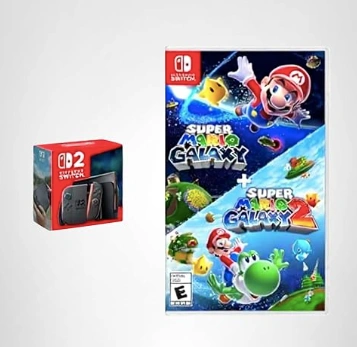
What makes it worth considering?
- A hybrid portable and docked design
- Nintendo’s distinctive game library
- Multiplayer options suited to shared gaming
- A portable mode for gaming away from the TV
- Support for improved visual output compared with the original Switch
Is it a good choice for a 4K TV?
It can be a useful option for a TV gaming setup, but buyers should distinguish between the resolution of the video signal sent to the TV and the resolution at which a game actually renders. These are not always the same.
Check the specifications and performance of individual games if sharpness, frame rate or visual effects are major priorities. If your main goal is the highest possible graphics performance in demanding third-party games, compare the available options carefully before choosing.
Best fit: Families, Nintendo fans and players who value flexibility over prioritizing graphics performance alone.
Read More: Best Gaming Deals 2026 The Biggest Video Game Discounts on PC
4. Xbox Series S: A Budget-Conscious Alternative
Xbox Series S offers a lower-cost way to access the Xbox gaming ecosystem. It is smaller than Series X and supports modern gaming features, but its hardware is less powerful.
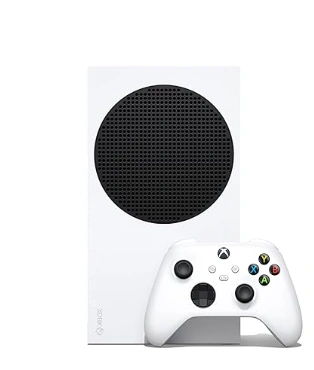
What makes it worth considering?
- A compact design
- Access to the Xbox ecosystem
- SSD storage
- A lower-cost entry point than premium console hardware, depending on current pricing
What are the trade-offs?
Series S should not be treated as equivalent to Series X for demanding 4K gaming. Its performance and typical rendering targets differ, and individual games may use lower resolutions or other graphics compromises.
Before buying, check whether the games you want run at your preferred resolution and frame rate. Consider storage capacity as well, especially if you plan to keep many large games installed.
Best fit: Budget-conscious players who value access to Xbox games more than maximizing graphics performance.
5. Steam Deck OLED: An Alternative for Portable PC Gaming
Steam Deck OLED belongs in a different category from the conventional living-room consoles above. It is a handheld PC gaming device designed for portable play, with access to a compatible selection of PC games.
Its OLED display, portable design and customizable settings make it appealing to players who prefer handheld gaming.
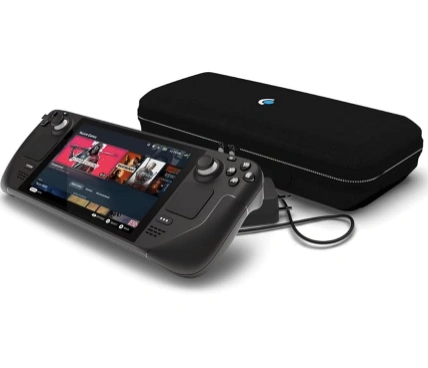
However, it should not be presented as a direct equivalent to a PS5 or Xbox Series X for native 4K gaming on a large TV. Connecting a handheld device to a display does not guarantee that demanding games will render at 4K with the same performance as a dedicated home console.
If portability is a priority, explore our Handheld Gaming Devices guide.
Best fit: PC gamers who value portability, indie games and access to their compatible PC game library.
What to Look for When Choosing a 4K Gaming Console
Buying the right console also means checking the capabilities of your TV. A 4K label alone does not tell you everything about the gaming experience.
4K resolution and upscaling
4K refers to a display output of approximately 3,840 × 2,160 pixels. However, a console can output a 4K signal while a game renders internally at a lower resolution and upscales the image.
Look for game-specific information if native rendering resolution is important to you. Resolution is only one part of visual quality; texture detail, lighting, frame rate and graphics settings also matter.
HDMI 2.1 and 120Hz support
HDMI 2.1 can enable features such as higher-bandwidth video modes, including 4K at 120Hz, when supported by the connected equipment. But the console, TV, HDMI port, cable and game must all support the intended configuration.
A TV advertised as 120Hz does not mean every console game will run at 120 frames per second.
Variable Refresh Rate
Variable Refresh Rate, or VRR, helps a compatible display adjust its refresh rate to changing frame rates. This can reduce visible tearing and improve perceived smoothness in supported setups.
Check that your specific TV and console support the relevant VRR mode. The feature is not a guarantee that every performance issue will disappear.
Auto Low Latency Mode
Auto Low Latency Mode, or ALLM, allows compatible equipment to switch automatically to a low-latency display mode. It can reduce the need to change TV settings manually when switching between gaming and other content.
HDR and OLED displays
High Dynamic Range can expand the range of brightness and color a game presents when the game and display support the relevant format.
OLED TVs can deliver deep blacks and strong contrast, while other display technologies have their own strengths. The final experience depends on the display model, its settings and the game’s implementation.
Storage and game ownership
Modern games can require substantial storage, so check usable capacity and supported expansion options before purchasing.
Also decide whether you want physical games or prefer a digital library. Disc-drive availability differs by console version. Physical media can offer used-game purchasing and resale options, while digital purchases provide convenience but depend on platform terms and account access.
PS5 vs Xbox Series X: How Should You Decide?
Both consoles are capable of delivering high-quality gaming on a compatible 4K television. The more useful comparison is how each fits your gaming habits.
| Buying Priority | What To Compare |
| Preferred games | Which platform has the titles you most want to play? |
| Graphics | Compare results in the same games, not only headline hardware specifications |
| Frame rate | Check whether the games you play offer 60fps or 120fps modes |
| Display features | Verify support for your TV’s resolution, refresh rate, HDR and VRR |
| Subscription value | Compare current plans, prices and included games |
| Long-term cost | Include games, extra storage, controllers and any required subscriptions |
Rather than declaring a universal winner, choose the platform that best matches the games and features you will actually use.
How to Find Better Gaming Console Deals
A lower advertised price does not automatically make a console the better purchase. Compare the full package before deciding.
Check multiple retailers
Compare the final price, availability, delivery costs and return policies.
Evaluate bundles
A console bundled with a game or accessory can be good value if you genuinely want the included items.
Check the exact model
Confirm the console version, storage capacity and disc-drive configuration.
Compare the total cost
Include any subscription, extra controller, headset or storage upgrade you expect to buy.
Look for genuine savings
Compare the offer with recent prices where reliable price-history information is available.
Review seasonal sale timing
Early promotions can be useful, but do not assume every Black Friday offer is the year’s lowest price.
Explore the Best Gaming Deals 2026 guide for broader gaming purchase considerations, or visit our Black Friday Deals 2026 hub for seasonal retailer and category coverage.
For help deciding when to purchase, read Black Friday vs. Cyber Monday 2026. Verify the retailer’s current offer and sale dates before making a purchase.
Frequently Asked Questions
Is PS5 or Xbox Series X better for 4K TVs?
Both are excellent choices. The Xbox Series X offers slightly stronger hardware specifications, while the PS5 excels in exclusive games and controller innovation.
What is the best gaming console for a 4K OLED TV?
The PS5 and Xbox Series X are currently the best gaming consoles for OLED TVs thanks to their support for HDR, HDMI 2.1, and 120Hz gaming.
Do all gaming consoles support 4K resolution?
No. Only select modern consoles support true 4K gaming. Older systems and entry-level hardware may be limited to lower resolutions.
Which console supports 120Hz gaming?
Both the PlayStation 5 and Xbox Series X support 120Hz gaming in compatible titles and on supported televisions.
Is Nintendo Switch 2 good for 4K gaming?
Nintendo Switch 2 offers improved graphics performance and enhanced visual output, making it a strong choice for family gaming and casual 4K TV setups.
What features should a 4K gaming console have?
Look for HDMI 2.1, HDR support, VRR, ALLM, ray tracing, SSD storage, and 120Hz gaming compatibility.
Does HDMI 2.1 matter for console gaming?
Yes. HDMI 2.1 enables higher refresh rates, improved responsiveness, and better compatibility with modern gaming TVs.
Which console offers the best graphics quality?
The Xbox Series X currently provides some of the strongest console graphics performance available, particularly for 4K HDR gaming.
Is a PS5 or Xbox Series X better for a 4K TV?
Both are strong options. The better choice depends on your preferred games, platform features, subscription needs and performance expectations. Compare the games you actually play rather than relying only on hardware specifications.
Does every game run at native 4K on a 4K console?
No. A console may output a 4K signal while a game renders at a lower internal resolution and upscales the image. Performance also varies by game and graphics mode.
Is Xbox Series S suitable for a 4K TV?
Yes, it can connect to a 4K TV, but that does not make it equivalent to Series X for demanding 4K gaming. Check the resolution and performance options of the games you want to play.
Is Nintendo Switch 2 a good choice for TV gaming?
It can be a good choice for players who value Nintendo games, shared play and the ability to switch between portable and docked gaming. Check the TV output and performance of individual games if resolution is a priority.
Does HDMI 2.1 matter for gaming?
It can matter if you want features such as 4K at 120Hz and compatible variable refresh rates. Your TV, console, connection and game must support the features you intend to use.
Is a 120Hz TV enough for 120fps gaming?
No. The TV must support the relevant refresh rate, the console and connection must support the mode, and the game must offer a compatible high-frame-rate option.
Should I buy a disc or digital console?
Choose based on your buying habits. Disc-capable models can offer physical-game options, while digital versions can be convenient for online purchases. Compare the model price, availability and the value you place on physical ownership before deciding.
What is the most important feature for a 4K gaming setup?
There is no single answer. Resolution, frame rate, HDR, input lag, game selection and total cost all affect the experience. Start with the games you want to play and the capabilities of your existing TV.
Final Verdict
The best gaming console for a 4K TV is the one that matches your preferred games, display, budget and expectations.
The PlayStation 5 and Xbox Series X deserve close consideration for traditional living-room gaming. Xbox Series S offers a more budget-focused route into the Xbox ecosystem, while Nintendo Switch 2 appeals to players who value portable and shared gaming. Steam Deck OLED is a useful alternative for those who prioritize portable PC gaming rather than a conventional home-console experience.
Before buying, check performance in the games you play, confirm your TV supports the features you want and compare the complete cost of ownership. If a seasonal promotion is involved, verify the current price and bundle details rather than assuming a headline discount represents the best value.
For more buying advice and seasonal recommendations, explore our Technology guides and gadget insights.
