
Introduction
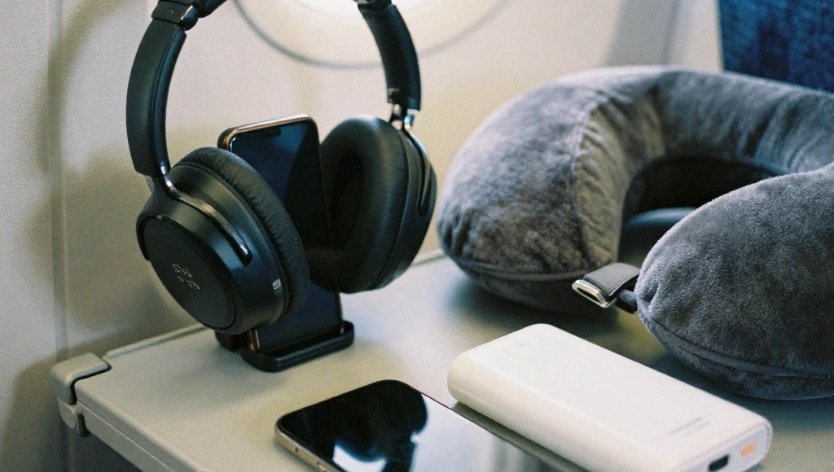
Flying with technology is easier when you pack the right gadgets. A compact power bank keeps your phone charged during long airport waits, a Bluetooth airplane adapter connects wireless headphones to compatible entertainment systems, and a small tech organizer prevents cables from getting tangled inside your carry-on.
However, choosing carry-on travel gadgets involves more than finding compact products. Battery capacity, airline restrictions, international plug compatibility and airport security procedures all matter.
Whether you’re planning a short domestic flight or a long international journey, these 12 carry-on travel gadgets can help you stay connected, organized and entertained without filling your cabin bag with unnecessary accessories.
Best travel gadgets for every trip
Best Carry-On Travel Gadgets at a Glance
| Gadget | Recommended Example | Best For | Price |
| Compact power bank | Anker MagGo 10K Slim | Smartphone charging | $79.86 |
| GaN USB-C charger | Compact 65W–100W GaN charger | Charging multiple devices | $49.90 |
| Universal travel adapter | EPICKA TA-105C | International outlets | $19.99 |
| USB-C cable | Anker USB-C cable | Compact charging | $19.99 |
| Bluetooth airplane adapter | Twelve South AirFly Pro 2 | Wireless in-flight audio | $59.99 |
| Luggage tracker | Apple AirTag (2nd Gen) | Finding personal belongings | $23.99 |
| Wireless earbuds | Compact noise-canceling earbuds | Airport and flight audio | $69.99 |
| Tech organizer | Bellroy Tech Kit | Organizing accessories | $55 |
| E-reader | Kindle Paperwhite (2026) | Offline entertainment | $149 |
| USB-C hub | Compact multiport USB-C hub | Laptop connectivity | $25.99 |
| Portable SSD | Samsung T7 Shield | Backing up travel files | $259.99 |
| Travel eSIM | Airalo or Nomad eSIM | International connectivity |
Product examples are recommendations to compare, not claims of independent hands-on testing. Check exact model specifications, regional availability, compatibility and current prices before purchasing.
1. Anker MagGo 10K Slim Power Bank
A portable power bank is one of the most useful carry-on travel gadgets. Airport charging stations can be occupied, boarding delays can extend your waiting time, and in-flight USB ports may not always provide the charging speed you need.
A 10,000mAh power bank is a practical choice for travelers who mainly charge smartphones, wireless earbuds and other small devices.
Recommended product: Anker MagGo Power Bank (10K, Slim)
This compact model offers:
- 10,000mAh battery capacity
- USB-C input and output
- Up to 30W USB-C output
- Magnetic wireless charging for compatible iPhones
- A slim design for everyday carry
Why pack it?
It provides backup power without taking up as much space as larger laptop-oriented power banks. Its magnetic charging feature is particularly useful for compatible iPhones.
What to check before buying:
- Battery capacity and watt-hour rating
- USB-C output supported by your phone
- Wireless charging compatibility
- Weight and dimensions
- Airline restrictions
Carry-on battery rule: Power banks must travel in carry-on baggage, not checked luggage. Under FAA guidance, lithium-ion batteries up to 100Wh are generally permitted without airline approval. Larger batteries have additional restrictions.
Read the official FAA battery guidance before departure.
2. Compact GaN USB-C Wall Charger
A compact wall charger can replace several bulky charging accessories. Gallium nitride (GaN) technology allows manufacturers to produce relatively small chargers with substantial power output.
For travelers carrying a smartphone, tablet and laptop, a suitable multiport USB-C charger can simplify the entire charging setup.
What to look for:
- 65W or higher output if your laptop requires it
- Multiple USB-C ports
- Foldable plug design where available
- Appropriate safety certifications
- Power distribution across connected ports
- Compatibility with your devices
A 100W charger may be useful for a laptop, but its maximum output is not necessarily available to every connected device simultaneously. Check the manufacturer’s port-by-port power specifications.
Why pack it?
Instead of carrying separate chargers for every device, you can use one compatible charger for several electronics.
Remember that a wall charger needs an electrical outlet. It does not store power like a power bank.
Explore More: Travel Gadgets And Essentials
3. EPICKA TA-105C Universal Travel Adapter
International travelers often encounter different plug shapes when moving between countries. A universal travel adapter makes it easier to connect compatible electronic devices to different outlet types.
Recommended product: EPICKA TA-105C Universal Travel Adapter
The manufacturer’s specifications include:
- International plug compatibility
- USB-A and USB-C charging ports
- 30W total DC output
- 100–240V AC input
- A compact design for travel bags
Why pack it?
It reduces the need to carry separate plug adapters for different destinations.
Important distinction: A plug adapter is not a voltage converter.
If an appliance is designed for only 110V or 120V, connecting it to a 220–240V outlet through a simple plug adapter can damage the appliance.
Check the input-voltage label on every device before using it internationally. Many modern phone and laptop chargers support 100–240V, but this should never be assumed.
Also check the adapter’s grounding requirements and maximum power rating before connecting higher-power appliances.
4. Short USB-C Charging Cable
Long charging cables can create unnecessary clutter inside a small carry-on bag. A short USB-C cable is easier to organize and can connect a phone to a power bank without leaving excess cable hanging around.
Consider carrying:
- One USB-C to USB-C cable for compatible phones and laptops
- A second cable only if another device requires a different connector
- A cable with an appropriate charging wattage for your devices
What to check before buying:
- Supported charging wattage
- USB data-transfer capability
- Cable length
- Connector compatibility
- Durability and flexibility
Not every USB-C cable supports high-power charging or fast data transfer. A cable’s connector shape alone does not guarantee its performance.
Packing tip: A short cable and a small cable tie are often enough for a minimalist travel charging kit.
5. Twelve South AirFly Pro 2 Bluetooth Airplane Adapter
If you prefer wireless headphones but your airplane entertainment system uses a traditional headphone socket, a Bluetooth transmitter can be a useful addition to your carry-on.
Recommended product: Twelve South AirFly Pro 2
It connects compatible Bluetooth headphones to devices with a standard 3.5mm headphone jack.
Key features include:
- Bluetooth audio transmission
- Support for two headphone connections
- More than 25 hours of advertised battery life
- USB-C rechargeable battery
- Compact dimensions and lightweight construction
Why pack it?
You can use compatible wireless headphones with an aircraft entertainment system without relying on a wired headphone connection.
It may also work with compatible gym equipment and other devices that have a standard headphone output.
Before buying: Check whether your airline’s entertainment system has a compatible headphone jack. Some newer aircraft offer built-in Bluetooth connectivity, making a separate transmitter unnecessary.
AirFly Pro 2 is a particularly useful specialist accessory for travelers who regularly use seatback entertainment systems.
Check Now: Flight-Friendly Travel Gadgets
6. Apple AirTag (2nd Generation)
A small luggage tracker can help you locate personal belongings through a compatible smartphone network.
Recommended product: Apple AirTag (2nd Generation)
The second-generation AirTag works with Apple’s Find My ecosystem and is designed for tracking personal items such as bags, backpacks and keys.
Why pack it?
A tracker inside your carry-on can help you identify its reported location if you accidentally leave it behind at an airport, hotel or other location.
What to consider:
- Requires a compatible Apple device and account
- Uses Apple’s Find My network rather than standalone GPS tracking
- Requires a suitable holder or luggage attachment
- Location updates depend on the tracking network and surrounding devices
Android users should consider compatible alternatives such as Tile trackers rather than buying an Apple-only accessory.
Packing tip: Place the tracker securely inside an interior luggage pocket. Do not rely on a tracker as a substitute for keeping your belongings with you.
7. Compact Noise-Canceling Wireless Earbuds
Wireless earbuds are useful for listening to music, podcasts and downloaded entertainment during airport waits and flights.
A compact charging case also takes up less space than many over-ear headphones.
What to look for:
- Active noise cancellation
- Comfortable ear tips
- Battery life with noise cancellation enabled
- Compact charging case
- Reliable Bluetooth connectivity
- Compatibility with your phone and laptop
Some travelers prefer earbuds because they are easier to store in a small personal item. Others may find over-ear headphones more comfortable for extended listening.
Choose based on your listening habits rather than assuming that one style suits every traveler.
For more flight-specific recommendations, see our guide to Flight Travel Gadgets.
8. Bellroy Tech Kit
A tech organizer is a practical way to keep charging accessories together. Instead of searching through your carry-on for loose cables, adapters and earbuds, you can store them in one compact pouch.
Recommended product: Bellroy Tech Kit
Consider it if you regularly carry:
- Charging cables
- A wall charger
- Wireless earbuds
- Memory cards
- Small adapters
- Other compact electronic accessories
What makes a good tech organizer?
Look for useful internal compartments, durable zippers, easy access and a size that fits your personal item.
A large organizer can consume more space than necessary. If you only carry a phone, earbuds and one charger, a smaller pouch may be a better choice.
Keep larger electronics accessible when passing through airport security because screening officers may ask you to remove them.
Read More: Best Budget Travel Gadgets Under $50
9. Kindle Paperwhite (2026)
An e-reader is a convenient way to carry several books without filling your cabin bag with physical copies.
It can be particularly useful during boarding, layovers and long journeys when you want entertainment without constantly using your phone.
Recommended product: Kindle Paperwhite (2026 release)
Amazon’s listed specifications include:
- 7-inch, 300 ppi glare-free E Ink display
- USB-C charging
- Adjustable warm front light
- 16GB storage on the standard model
- Advertised battery life of up to 12 weeks
- Waterproof IPX8 design
Why pack it?
An e-reader provides a dedicated reading experience and allows you to download books before departure.
Download your preferred reading material in advance so you do not need airport Wi-Fi or mobile data during the flight.
If you already read comfortably on a tablet or smartphone, an additional e-reader may not be necessary.
Read More: Airplane Sleep Gadgets For Long Flights
10. Compact USB-C Hub
A USB-C hub can be useful for business travelers and digital nomads who work from a laptop with limited ports.
Depending on the model, a hub can add:
- USB-A connections
- Additional USB-C ports
- HDMI output
- SD and microSD card readers
- Ethernet connectivity
What to check before buying:
- Laptop compatibility
- USB-C data and power-delivery support
- HDMI resolution and refresh-rate limits
- Card-reader compatibility
- Whether external power is required
Do not assume that every USB-C hub supports every feature on every laptop. Check the specifications of both devices before purchasing.
For a more complete remote-work setup, explore our Digital Nomad Accessories guide.
11. Samsung T7 Shield Portable SSD
Travelers who capture a lot of photos and videos may benefit from carrying a portable SSD.
A compact external drive can provide additional storage for compatible laptops and other devices, helping reduce dependence on a single device’s internal storage.
Recommended product: Samsung T7 Shield
Before choosing a portable SSD, consider:
- Storage capacity
- USB connection and transfer-speed compatibility
- Physical dimensions and weight
- Device and operating-system compatibility
- Durability and protection requirements
The T7 Shield is designed with a protective exterior, but do not assume that every connected device can transfer files directly to it. Check the required cables, operating-system support and power requirements.
Travel backup tip: Keep a second copy of important travel photos in a separate location. A single external drive should not be your only backup.
12. Travel eSIM for International Connectivity
A travel eSIM is a digital connectivity option that can help travelers access mobile data without inserting a physical SIM card.
Providers such as Airalo and Nomad offer destination-specific and regional data plans.
Why consider an eSIM?
- Purchase a compatible data plan before departure
- Avoid searching for a physical SIM at the destination
- Access mobile data for maps, messaging and travel apps
- Choose plans based on destination and data requirements
What to check before buying:
- Whether your phone supports eSIM
- Whether it is carrier-unlocked
- Country and regional coverage
- Data allowance and validity period
- Hotspot and tethering restrictions
- Activation requirements
An eSIM is not a replacement for every travel connectivity option. Frequent remote workers may still prefer a dedicated hotspot or travel router.
You can compare available plans from Airalo and Nomad before choosing.
Check Now: Portable Chargers For Travel
TSA and Airline Rules for Carry-On Travel Gadgets
The phrase “TSA-approved travel gadgets” is common in online searches, but it can be misleading. TSA does not certify ordinary consumer electronics as a general category of approved products.
Instead, airport security screens individual items under applicable rules. An item that is generally permitted may still receive additional screening, and the final decision at a checkpoint rests with the screening officer.
Here are the most important rules to understand before packing.
1. Power Banks and Spare Lithium Batteries
Power banks and spare lithium batteries must be carried in cabin baggage rather than checked luggage.
Under FAA guidance:
- Lithium-ion batteries up to 100Wh are generally permitted without airline approval.
- Batteries between 101Wh and 160Wh require airline approval and are subject to additional limits.
- Batteries exceeding 160Wh are generally prohibited on passenger aircraft.
- Spare batteries must be protected against short circuits and physical damage.
Some airlines impose stricter limits on the number of power banks passengers can carry and whether they can be used or charged during a flight.
Check the battery’s Wh rating printed on the device. If it is not listed, consult the manufacturer’s specifications.
Official reference: FAA Airline Passengers and Batteries.
2. Liquids, Gels and Aerosols
The TSA 3-1-1 rule generally applies to liquids, gels and aerosols in carry-on baggage.
For U.S. TSA screening, the general rule is:
- Containers of 3.4 ounces (100ml) or less
- One quart-size clear bag for liquids
- One such bag per passenger
This rule applies to items such as shampoo, toothpaste, lotion and liquid toiletries. It does not apply to ordinary electronic gadgets.
Check the latest TSA Travel Checklist before departure.
3. Laptops, Tablets and Larger Electronics
In standard TSA screening lanes, passengers may be asked to remove larger electronic devices, including laptops and tablets, from their carry-on bags for separate screening.
Procedures can vary depending on the airport and screening equipment. Follow the instructions displayed at the checkpoint.
Keep larger electronics in an accessible compartment so you can remove them without unpacking your entire bag.
4. Bluetooth Trackers and Electronic Accessories
Small Bluetooth trackers, charging cables, wall chargers, earbuds and USB-C hubs are generally suitable for carry-on packing.
However, trackers and other devices containing lithium batteries can have specific battery-related requirements, especially when placed in checked luggage.
Check the manufacturer’s battery specifications and your airline’s rules before flying.
5. International Travel Considerations
TSA guidance applies to U.S. airport security screening. Other countries have their own airport-security procedures and restrictions.
If your journey includes international connections, check the security requirements of your departure and transit airports as well as your airline’s dangerous-goods policy.
Smart Travel Accessories Deals
How to Pack Carry-On Travel Gadgets Without Wasting Space
Carrying every available travel accessory is unnecessary. A small, well-organized technology kit can cover most everyday travel needs.
Follow these practical packing tips:
1. Keep your power bank accessible. Store it in a protected compartment where you can reach it easily.
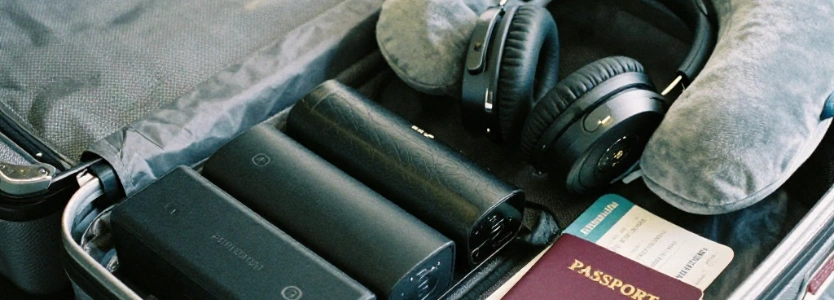
2. Group charging accessories together. Use one compact organizer for cables, adapters and earbuds.
3. Avoid duplicate chargers. A suitable multiport charger can replace several separate charging accessories.
4. Keep larger electronics easy to remove. This makes it easier to respond to airport screening instructions.
5. Download entertainment before departure. Save books, podcasts, films and offline maps in advance.
6. Check destination compatibility. Confirm plug types, device voltage requirements and mobile-network coverage.
7. Review airline battery restrictions. Do not assume every airline follows identical power-bank rules.
For a broader packing checklist covering flights and road trips, see our Travel Essentials List.
Frequently Asked Questions About Carry-On Travel Gadgets
What are the most useful carry-on travel gadgets?
A compact power bank, multiport USB-C charger, universal travel adapter, Bluetooth airplane adapter, luggage tracker and tech organizer are useful choices for many travelers. The right combination depends on your devices and destination.
Are power banks allowed in carry-on luggage?
Yes. Power banks must be carried in cabin baggage rather than checked luggage. Under FAA guidance, lithium-ion batteries up to 100Wh are generally permitted without airline approval. Larger batteries have additional restrictions, and airlines may impose stricter limits.
What size power bank can I take on a plane?
Lithium-ion power banks up to 100Wh are generally permitted under FAA guidance. Batteries between 101Wh and 160Wh require airline approval and are subject to additional limits. Check your battery’s Wh rating and your airline’s policy.
Does TSA approve travel gadgets?
TSA does not certify consumer gadgets as a general product category. It screens individual items at airport checkpoints. Some electronics are generally permitted, while certain batteries and other items have specific restrictions.
Can I bring a universal travel adapter in my carry-on?
Yes, ordinary plug adapters are generally suitable for carry-on baggage. Check the adapter’s power rating and destination compatibility. Remember that a plug adapter does not automatically convert electrical voltage.
Can I bring a Bluetooth airplane adapter on a flight?
A Bluetooth transmitter such as the Twelve South AirFly Pro 2 is a compact accessory for compatible headphone sockets. Check your aircraft’s entertainment system and follow the airline’s instructions for using wireless accessories.
Are Bluetooth luggage trackers allowed on flights?
Bluetooth trackers are commonly used in travel bags. However, battery specifications and baggage-location rules can matter, particularly for trackers placed in checked luggage. Check current FAA guidance and your airline’s policy.
Do I need to remove my laptop at TSA security?
In standard TSA screening lanes, passengers may be asked to remove larger electronics such as laptops and tablets for separate screening. Procedures vary by airport and screening equipment, so follow checkpoint instructions.
Can I bring a USB-C hub and portable SSD on a plane?
Yes, USB-C hubs and portable SSDs are generally suitable for carry-on baggage. They may receive additional screening, so keep them accessible and verify device compatibility before departure.
Is an eSIM better than a portable Wi-Fi hotspot?
An eSIM is often a simpler option for travelers who only need mobile data on one compatible phone. A dedicated hotspot may be more useful when multiple devices need a shared connection or when your phone does not support eSIM.
What should I avoid packing in a carry-on tech organizer?
Avoid damaged batteries, unnecessary duplicate cables and accessories that do not work with your devices. Protect spare battery terminals where required, and check the airline’s restrictions before departure.
Read More: Best Travel Gadgets for Digital Nomads and Remote Workers
Final Thoughts
The best carry-on travel gadgets are not necessarily the most expensive or advanced. They are the compact accessories that solve everyday travel problems without taking up unnecessary space.
For most travelers, a suitable power bank, compact charger, universal adapter, USB-C cable, luggage tracker and tech organizer provide a practical starting point. Frequent flyers may also benefit from a Bluetooth airplane adapter and wireless earbuds, while remote workers can add a USB-C hub and portable SSD.
Before departure, check your airline’s battery rules, confirm destination compatibility and keep larger electronics accessible for airport screening.
A smaller, well-organized collection of useful technology is usually better than carrying gadgets you rarely use.
Read More: Travel Gadgets And Essentials

[…] Best Carry-On Travel Gadgets […]
[…] Read More: Best Carry-On Travel Gadgets That Are TSA-Approved for Flights […]